RQ Language Support for VS Code
Language support for rq – a domain-specific language designed for managing and executing HTTP requests.
rq get("https://rqlang.com");
This extension adds syntax highlighting, a built-in language server, IntelliSense, and a Request Explorer for .rq files, and integrates with the rq CLI and auth flows, including interactive OAuth flows.
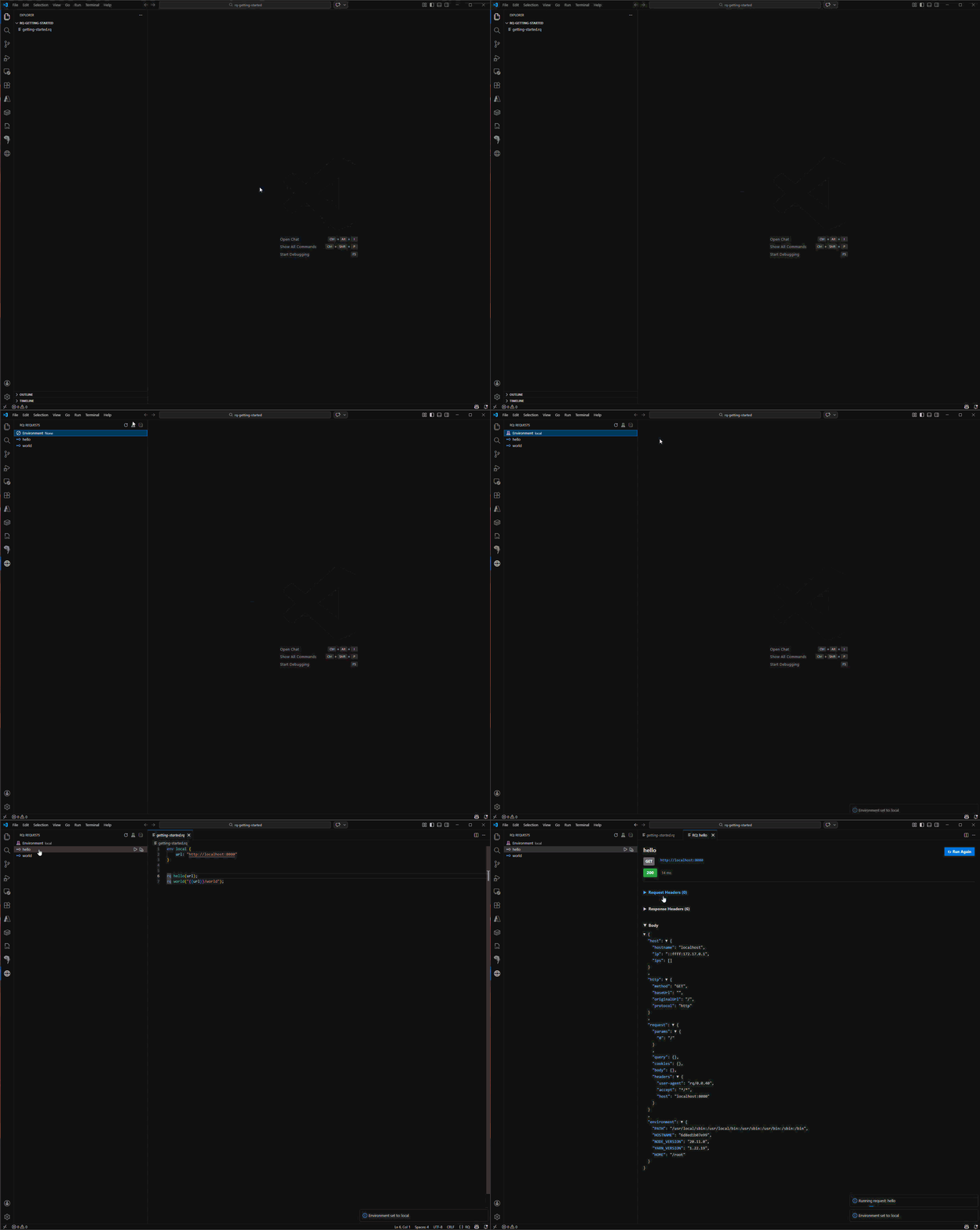
Want the full tour? Check out the VS Code Extension docs.
Docs
- Getting Started — new here? Start here.
- Language Definition — everything rq can do.
- Installation Guide — get up and running.
Core features (overview)
- Syntax highlighting for rq keywords, HTTP methods, attributes and interpolations.
- Language server — real-time diagnostics as you type: parse errors, semantic errors, and missing variables are surfaced in the Problems panel without running a request.
- IntelliSense — autocomplete for variables, request names, environments, auth providers, object parameters, auth properties, attributes, and imports.
- Hover tooltips — inline summaries for
rq,ep,env, andauthstatements. - Navigation — go to definition, find all references, and rename symbol across the workspace.
- Format document — format the current
.rqfile via the Format Document command (Shift+Alt+Fon Windows/Linux,Shift+Option+Fon macOS). - Request Explorer sidebar to browse and run requests, with environment selection and run/run-with-variables actions.
- Configuration view — a dedicated sidebar view listing the environments and auth providers defined across your workspace.
- Response panel — view response status, headers, and formatted body; copy the body with one click.
- Integration with rq auth providers, including interactive OAuth flows (Authorization Code with PKCE and Implicit).
Requirements
Note: This extension requires the rq CLI executable to function. On activation, the extension automatically detects whether the CLI is installed or needs to be updated, and downloads the appropriate binary from the latest GitHub release for your platform. See the Installation Guide for more details.